Wednesday, May 9, 2018

Blueberry Kitten Tutorial


Blueberry kitten tutorial
by Ladyjai3Creations
May 2018


what you need

paint shop pro (i use 17 but any version will work)

a tube

i am using Blueberry Kitten by
© Melissa Dawn

you can purchase this tube at CDO


a scrap kit


i am using Lavender & Blueberries by
Pink Paradox Productions
you can purchase this kit at her store here

font of choice

I used Blueberry for the wordart and Sloop three for my name
i also used a green gradient glow on my name 


Ok lets start


open a transparent image 600 x 250 


c&p your tube place on right hand side, resize if necessary sharpen add DS (2 -2 68 7)

c&p your tube again, place on left side underneath your original tube dont resize, blend mode soft light add DS

c&p ele 145 resize by 62% 3 x and place behind original tube on right hand side sharpen add DS layers duplicate image mirror


time to add either wordart or your own get out your font tool and choose a nice font

add your words and when happy with it, convert to raster, add DS to it and inner bevel if you wish

make sure you are on the top layer, new raster layer, select all, flood fill with a choice of color, i used

 the green in the tube, selections, contract by 2 ,press delete on keyboard, selections invert add an

 inner bevel of choice select none duplicate go to original frame adjust gaussian blur at 8, top layer, merge down, sharpen add DS but change color (i used the dark green in the leaves)


i also used a little noise in my words uniform, 30% monochrome checked


add your name, copyright info, kit designers info, license & your own taggers watermark. merge all flatten save as jpg 


thats it! you are done. i hope you have enjoyed this tutorial and it was easy to follow. i would love to see your results, send them to me and i will showcase them here. thanks for trying my tutorial!


Ladyjai3Creations
May 2018
Blueberry Kitten tutorial


Tuesday, May 1, 2018

Twilight Elf Tutorial


twilight elf tutorial
Ladyjai3_Creations
May 2018


i am using an exclusive image and it can be bought at PFD but you need to be a member of the exclusive club

© Zlata_M  the name of the tube is Twilight Elf

its a beautiful tube with different colors and close ups , and animal elements to go with it

i am also using a kit by Ellies Creations at PFD entitled Walfira Dreams Sounded


filters


eye candy 4000- gradient glow for your copyrights and frame


font- any kind of fantasy font will do

open a new transparent image 600 x 250


c&p paper 6 onto your canvas

pull it down a little so the trees show good


get your tube, if you are using the same one i used elf 4 (blue dress)


c&p resize to fit, place on right side of tag (i resized by 70% until it looked good)


c&p the diadem and place on her head


c&p the wolf and place on her right side


merge down 3 x sharpen add DS (2 -2 68 7)


c&p ele 6 resize and place behind her off to the right a little


c&p ele 11 resize and place behind tube off to the left a little


c&p ele 75 resize sharpen and place behind tube move to the left a little


c&p ele 106 place behind tube sharpen add DS


c&p ele 45 resize sharpen add DS and place behind well on left side


go to top layer c&p ele 62 resize sharpen addDS and place in front of well to the left


c&p ele 49 resize sharpen add DS and place in front of tube to the left of her


make sure you are on the top layer add new raster layer choose a color from the tag that compliments it select all flood fill with your new color, selections modify contract by 2 press the delete key on your keyboard


selections invert and add an inner bevel to your liking, select none


add a thin gradient glow to the frame using the same color as frame


layers duplicate, go to your original frame adjust blur gaussian blur at 8 go to your top layer again
adjust add remove noise uniform at 50% monochrome checked


add remove noise again only this time check random , merge down


add your copyright info, your license # and your own taggers watermark along with kit designer and name, merge all flatten save as jpg


i also used a gradient glow on my copyright info then sharpened it to make it clearer


thats it! i hope you have enjoyed this tutorial and it was easy to follow, i would love to see your creations, feel free to send them to me and i will showcase them here
thanks for trying my tutorial!


Twilight Elf Tutorial
Ladyjai3Creations
May 2018


Friday, April 20, 2018

Tag show off


animated tag show off using © Alehandra Vanhek 

new exclusive tube "Steampunk Moon"

a beautiful steampunk too, love the blue outfit

you have to be a member of the exclusive club 

www.picsfordesign.com 

I also used Steampunk Fantasy by 

Pink Paradox Productions you can purchase it here

http://www.pinkparadoxproductions.com/store 


Wednesday, February 28, 2018

Irish Beauty Forum Style Tag Tutorial

Irish Beauty Forum Style Tag Tutorial
Ladyjai3Creations
Febuary 28 2018


what you will need

font- Irish Saddle (free font)

eye candy 4000- gradient glow

paint shop pro (any version)

a tube

i am using an older tube by © Alehandra Vanhek
which you can purchase at PicsforDesign.com (Pot of Gold)


a Scrap Kit

i am using Rocking Shamrocks by Pink Paradox Productions


you can purchase it at her store here
http://www.pinkparadoxproductions.com/store

Lets Begin

open a new image (transparent) 600 x 250

c&p paper 24 as a new layer

c&p your tube now if youre using the same tube, i resized mine by 60% 2 x and place in center of tag
sharpen add inner bevel, (your choice) and add DS (H 2 V-2 Opacity 68 Blur 7)

c&p ele 102 resize 1 x by 60% sharpen add inner bevel kind of move to right side

c&p ele 168 resize by 60% 1 x and place behind castle on left side

c&p ele 143 resize by 60% 2 x then 70% place behind tube on left side then layer duplicate image mirror sharpen, inner bevel DS

c&p ele 138 resize by 60% 3 x and place behind yellow flowers on left side layers duplicate image mirror add sharpen DS and inner bevel

c&p ele 37 resize by 60% 3 x then 1 x by 70% place on left side (top layer) sharpen, add inner bevel and DS

c&p ele 16 resize by 60% 3 x and place on right side of tag sharpen add inner bevel and DS

c&p ele 48 resize by 60% 3 x and place behind green beer, sharpen add inner bevel and DS

go to your castle layer, c&p ele 176 reisize by 60% 2 x and place on left side sharpen, layers duplicate image mirror and bring down a little on right side

go to top layer pick out a color that goes well with your tube using the eye dropper tool

select all flood fill that layer with your new color selections modify contract by 2 hit delete on

keyboard selections invert add inner bevel select none . add a thin gradient glow with the same color as your frame


layers duplicate, go to the original frame, adjust blur gaussian blur at 8 or whatever looks good

go to top layer add noise uniform at 50% monochrome checked then repeat but check random

merge down, sharpen  add any other elements you would like, i added some shamrocks beside her

add your copyrights, license info and your own taggers water mark along with the kit designer merge all flatten save as jpg  i also used a gradient glow on the copyrights


thats it youre done! thanks for trying my tutorial i hope you had fun


Irish Beauty Forum Style Tutorial
Ladyjai3Creations
Febuary 28 2018

Nature Lover Snags

A set of new snags for you

I used a tube by
©Very Many

called Francesca

you can purchase this at
www.verymanytubes.com

you will need a license to use her artwork.

The matching kit is by
Pink Paradox Productions and is called

Natural Woman

and you can purchase it here

http://www.pinkparadoxproductions.com/store


left click to bring full size, then right click and save to your pc as jpg format

thanks and hope you like them


thanks for looking


Monday, January 1, 2018

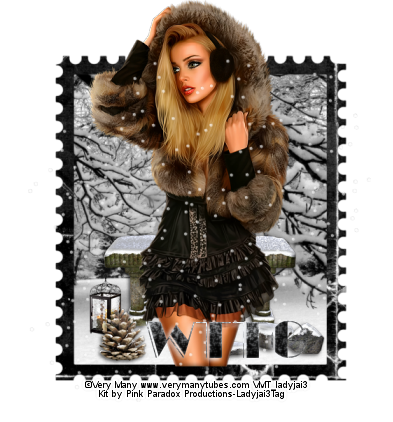
Winter Walk Snags

a set of winter snags for you

The tube is
©Very Many
www.verymanytubes.com 

She is Genevieve

The matching kit is by
Pink Paradox Productions and is
called "Winter Walk"


A Fabulous winter kit for all your winter creations


Just left click to bring full size then right click and save as png to your own pc

thanks for looking


Enjoy!


Saturday, December 2, 2017

Christmas snags

Here is a set of Christmas snags for you

the tube is

© Vadis
www.picsfordesign.com 

The kit I used is
"Country Holiday" by

Pink Paradox Productions and is on sale for $1.50 at her store

http://www.pinkparadoxproductions.com/store


You can find gorgeous kits over there

check it out!


I hope you like and enjoy using them